
Open Today Sales: 8 AM-8 PMOpen Today Service: 7 AM-5:30 PM
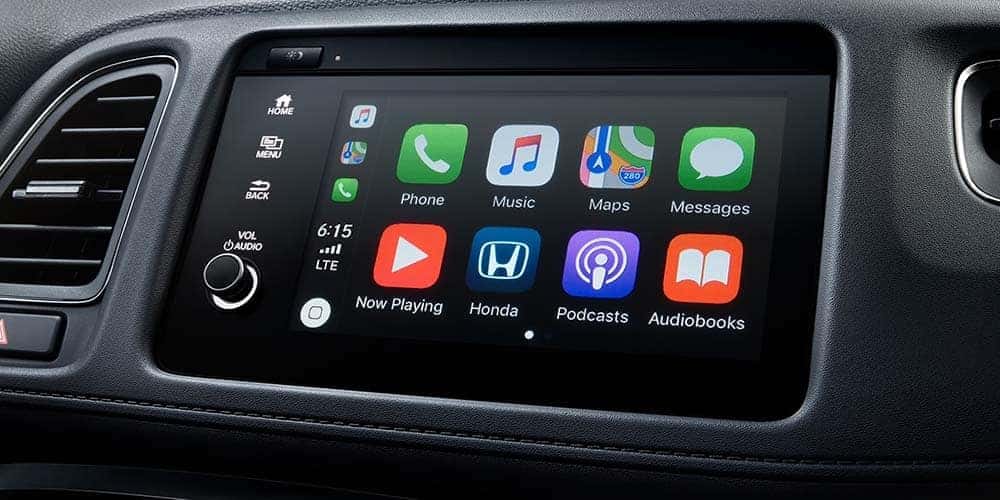
Drivers from Omaha to Gretna are taking advantage of the Apple CarPlay® and Android Auto™ technology suites found in every new Honda model. Use this technology to connect your phone to their vehicle to experience a driving copilot. Wondering how to connect Android Auto™? Apple CarPlay® not connecting? Check out the guide below from the expert team at Honda of Lincoln to find your solutions!
If you’re wondering how to connect Apple CarPlay®, the process is quite simple and unlocks a plethora of features. The Apple CarPlay® apps are fairly simple to maneuver once you understand what the suite offers. Whether you’re in an Accord or Pilot, Apple CarPlay® technology will turn your infotainment display into an Apple interface. Read on to explore Apple CarPlay® apps/features:
There are many benefits to having and utilizing this Honda technology feature:
Learning how to connect Apple CarPlay® isn’t complicated! Review the below steps to begin setup or if you’re experiencing an issue with Apple CarPlay® not connecting:
Wondering how to connect Android Auto™? The process and features are similar to Apple CarPlay®! Android Auto™ offers a well-equipped tech suite to make driving easier. Below are a few features of Android Auto™:
At Honda of Lincoln, we’re here to help! Whether you’re a Lincoln area driver in need of service tips or you’re ready to find your next Honda vehicle, contact us today! Turn to our expert team for all of your car care needs!
Why Does My Windshield Keep Fogging Up? A Guide for Lincoln, NE Drivers You get in your car on a cold Nebraska morning, start driving and suddenly the windshield begins turning cloudy. Or maybe you’re driving through Lincoln on a humid or rainy day and the outside of the windshield keeps fogging up instead. What…
What Makes a Good Commuter Car? 7 Things to Look for Before You Buy If you drive to work five days a week, your vehicle isn’t just transportation. It’s somewhere you may spend hundreds of hours every year. Maybe your commute is 15 minutes across Lincoln. Maybe you’re coming into town from Waverly or Seward….
Looking for a Reliable, Affordable Small SUV? Why the Honda HR-V Belongs on Your List Maybe you don’t have a specific make or model picked out yet. You just know what you want. Something affordable. Something you can count on for the daily commute. Something that doesn’t require constant stops at the gas station. Enough…



